Native Salesforce SOQL Integration for JetBrains IDEs
Native database tool window integration for IntelliJ IDEA, DataGrip, and JetBrains IDEs. Query Salesforce objects, inspect schema metadata, and execute SOQL without leaving your IDE.
Salesforce SOQL in DataGrip & IntelliJ IDEA
Connect with your Salesforce CLI org, explore its schema, write SOQL with completion, and inspect results without leaving the IDE. Select a screenshot to view it at full size.
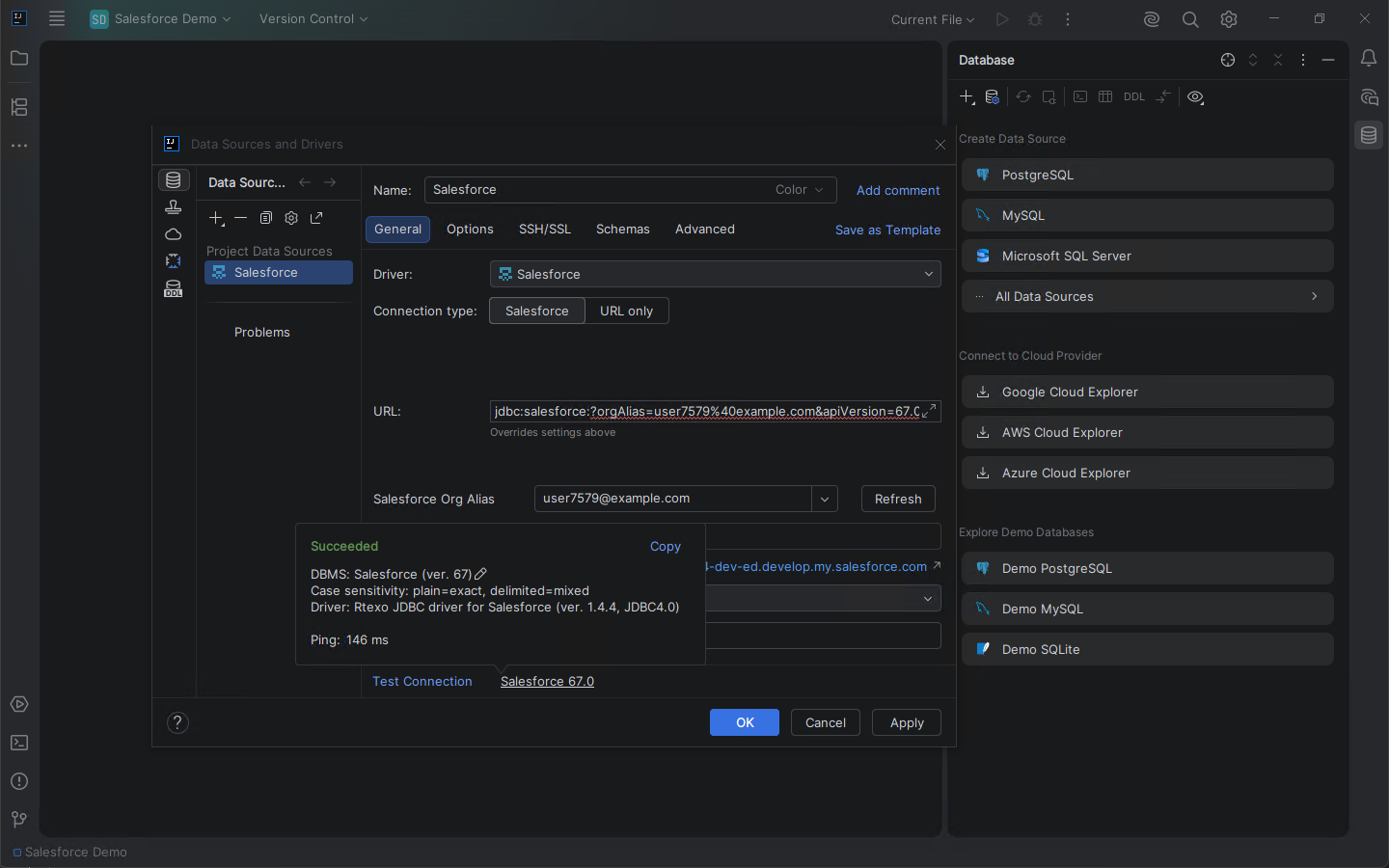
Connect to Salesforce
Choose Salesforce, enter an authenticated CLI alias, and test the connection.
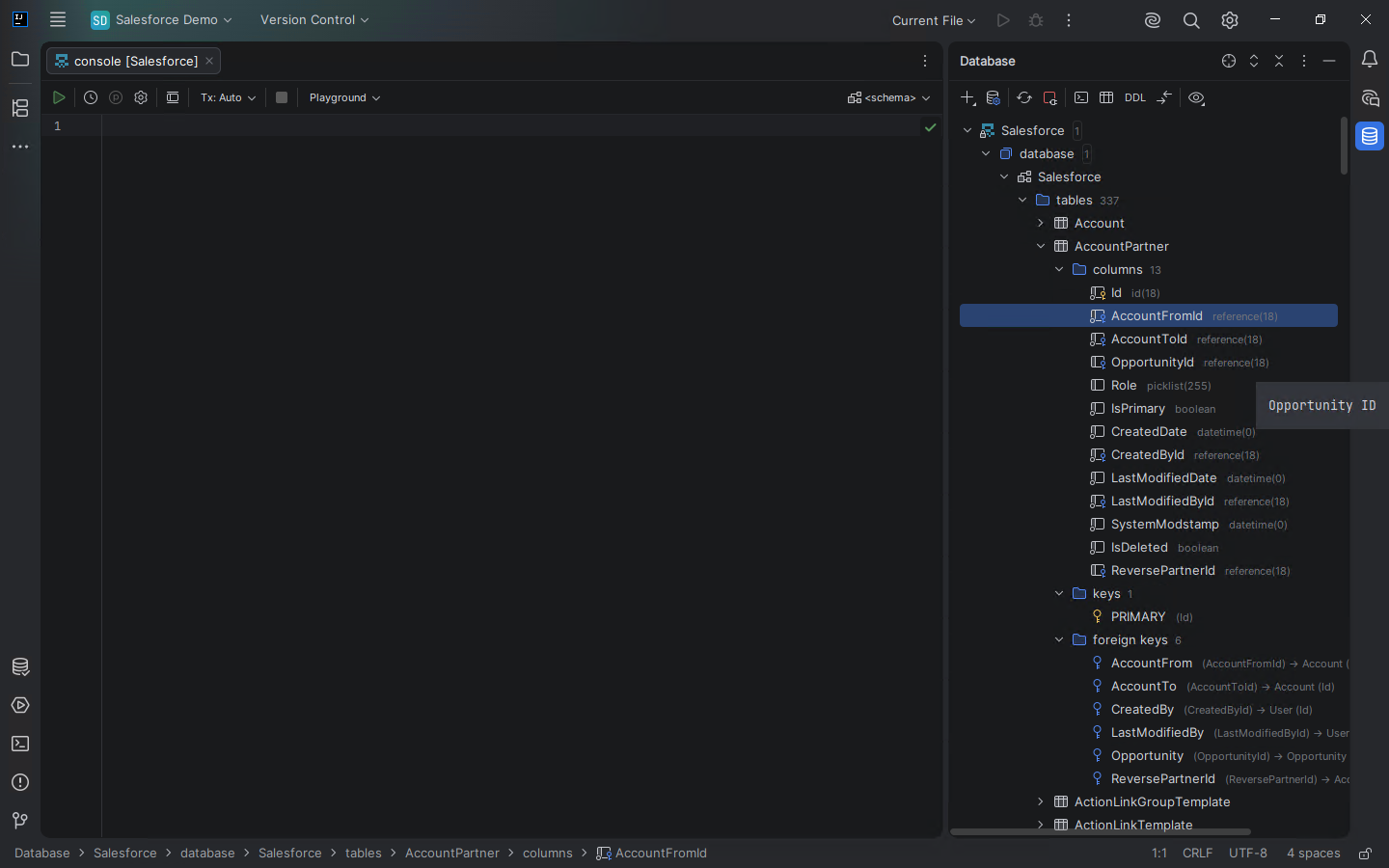
Explore the schema
Browse standard and custom objects as database tables.
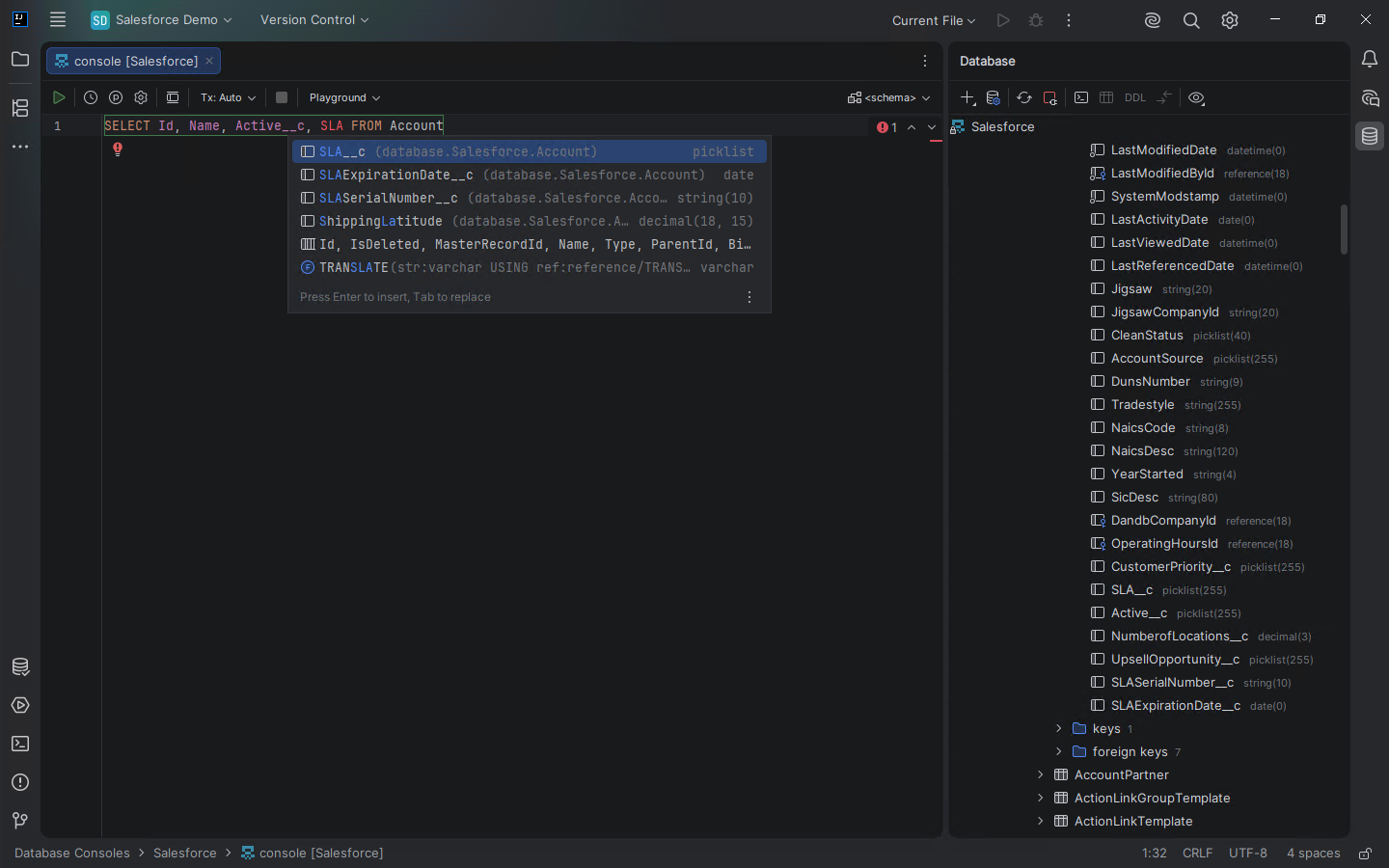
Use SOQL completion
Receive field suggestions while writing a SOQL query.
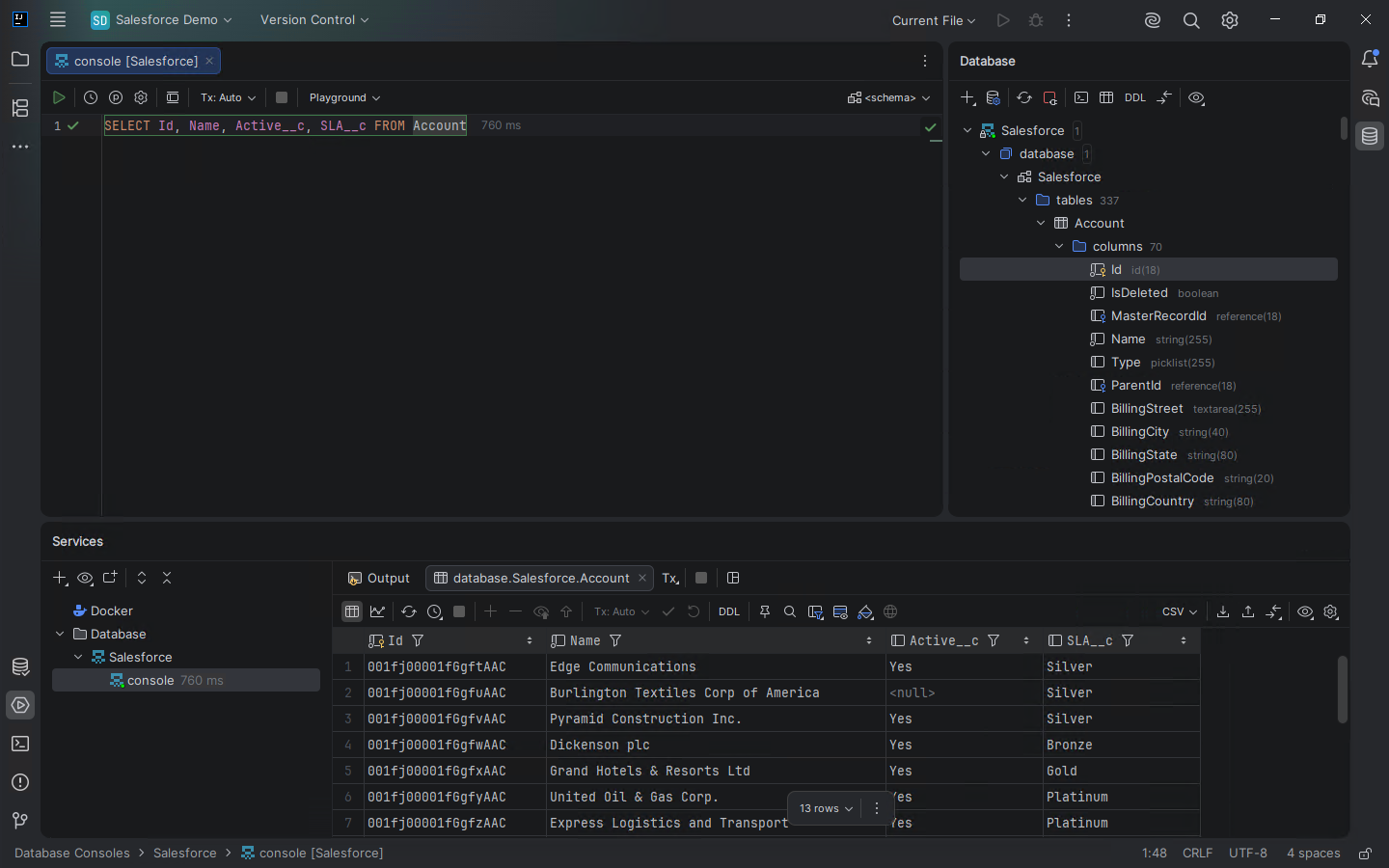
Review query results
Inspect, sort, filter, and export read-only results in the native grid.
Salesforce SOQL Plugin Built for Developer Workflows
Seamlessly integrate Salesforce data into your daily development flow with tools designed for speed and safety.
Native IDE Integration
Works directly inside the standard JetBrains Database Tool Window alongside PostgreSQL, MySQL, and Oracle data sources.
Zero-Config SF CLI Auth
Seamless token retrieval via your existing local Salesforce CLI (sf) profiles. No manual OAuth setup or hardcoded credentials required.
Fast Local Metadata Caching
Intelligent local schema caching (~/.rtexo/jb-sf-datasource/metadata) ensures instant SObject introspection and code completion even on heavy enterprise orgs.
Safe Read-Only Execution
Built-in guardrails for production data inspection without the risk of accidental data mutation.
How It Works: Connect Salesforce to DataGrip & IntelliJ IDEA
Get started in three simple steps.
Authenticate Your Org
Run sf org login web to authenticate your Salesforce org locally via the Salesforce CLI.
Add Data Source
Open the Database Tool Window and add a new Salesforce SOQL data source in DataGrip or IntelliJ IDEA.
Query and Introspect
Browse SObjects in the schema tree and execute native SOQL queries directly in the editor.
Editions & Roadmap
Features available now and what we are building next.
Community Edition
Current Release- Full read-only SOQL console execution
- Salesforce CLI authentication
- Local metadata caching and introspection
- Schema browser and code completion
Pro Edition
Upcoming- In-place data grid record editing
- DML operations support
- Bulk API 2.0 integration
- Advanced data export